Poker bots: from research to a game you can experiment with.
A poker bot is a computer program that chooses how to play a hand. StarBotForge lets you create bots, train them, play against them and examine how their decisions change.
A SHORT HISTORY
Why researchers taught computers to play poker.
In poker, a player must act without knowing the opponents’ cards. A strong hand can lose, and a weak hand can win if everyone else folds. Researchers use poker to study decisions under uncertainty: how to weigh risk, use incomplete information and avoid becoming predictable.
The University of Alberta’s poker research dates back to the 1990s. Its early systems included Loki in 1997 and Poki in 1999; later work developed increasingly sophisticated strategies for different forms of poker. University of Alberta’s research milestones ↗
From 2006, the Annual Computer Poker Competition (ACPC) provided a common setting in which researchers and other developers could enter bots and compare them against one another. It began with two-player limit Texas hold’em and later added other variants. These were organised bot competitions with shared rules. The ACPC organisers’ competition report ↗
There were also controlled matches against people. In 2017, Carnegie Mellon’s Libratus beat four professional players over 120,000 hands of two-player no-limit hold’em at Rivers Casino in Pittsburgh. In 2019, Pluribus demonstrated strong results against professionals in six-player no-limit hold’em. These systems combined substantial research and computation; their results do not mean any trained bot will play well. CMU on Libratus ↗ · The Pluribus research paper ↗
START WITH THE BASICS
What does a poker bot actually learn?
First, the poker part.
StarBotForge uses no-limit Texas hold’em. “No-limit” means a player may bet all their remaining chips. Each player receives two private cards; up to five shared cards are dealt in the middle. Players try to win the chips in the pot, either by having the best five-card hand at the end or by making all opponents give up. A hand is one deal, including its betting rounds.
On its turn, a bot may fold (give up this hand), check (continue without betting when allowed), call (match the current bet) or bet/raise (put in more chips). It must decide using its own cards and public information. It cannot see opponents’ hidden cards.
The bot’s “brain” is a calculation.
A neural network is a set of connected calculations. The game turns cards, chip amounts and previous betting into numbers. The network processes these numbers and produces scores or probabilities for the available actions.
The connections contain adjustable numbers called weights. Think of them as many small settings that work together: changing them changes how the bot responds to a situation. They are not a list of poker rules written in plain language, and the bot does not understand poker like a person.
Training changes those settings.
Present a situation. The simulator deals cards and creates a decision for the bot.
Calculate a response. The current network suggests an action.
Calculate feedback. The trainer uses the exercise, simulated results or comparisons with alternative actions to form a learning target.
Make small adjustments. The training algorithm changes weights to move the network towards that target. Many examples and updates can change its general behaviour.
For example, a bot might call too often when facing a large bet. Practice can provide evidence that folding is preferable in some of those situations. The adjustment should depend on the situation and the training method, not simply on whether one particular hand won or lost.
That distinction matters: a sensible decision can lose because of the next card. Training therefore needs many examples, and a changed bot needs separate tests. Playing more hands with a saved bot does not automatically train it; weights change when a training process updates them.
Create a bot, choose training lessons and depth, then inspect the results. Play against it yourself or compare it with other bots. You decide which results to investigate and which saved version to use. The goal is to develop and understand your bots through practice and measurement.
FEATURES
What each part of the game is for.
Features in the current development build.
Bot creation
Choose the size and depth of a bot’s neural network. Save bots and their trained weights. A larger network takes more computation and is not automatically stronger.
Academy
Train bots on poker situations such as starting hands, betting for value, responding to bets and playing with different amounts of chips. ORION and LYRA organise different kinds of practice.
Training depth and Auto
Choose how much practice a training session contains. Auto can continue training with the selected settings. The estimated time helps plan longer sessions.
Arena
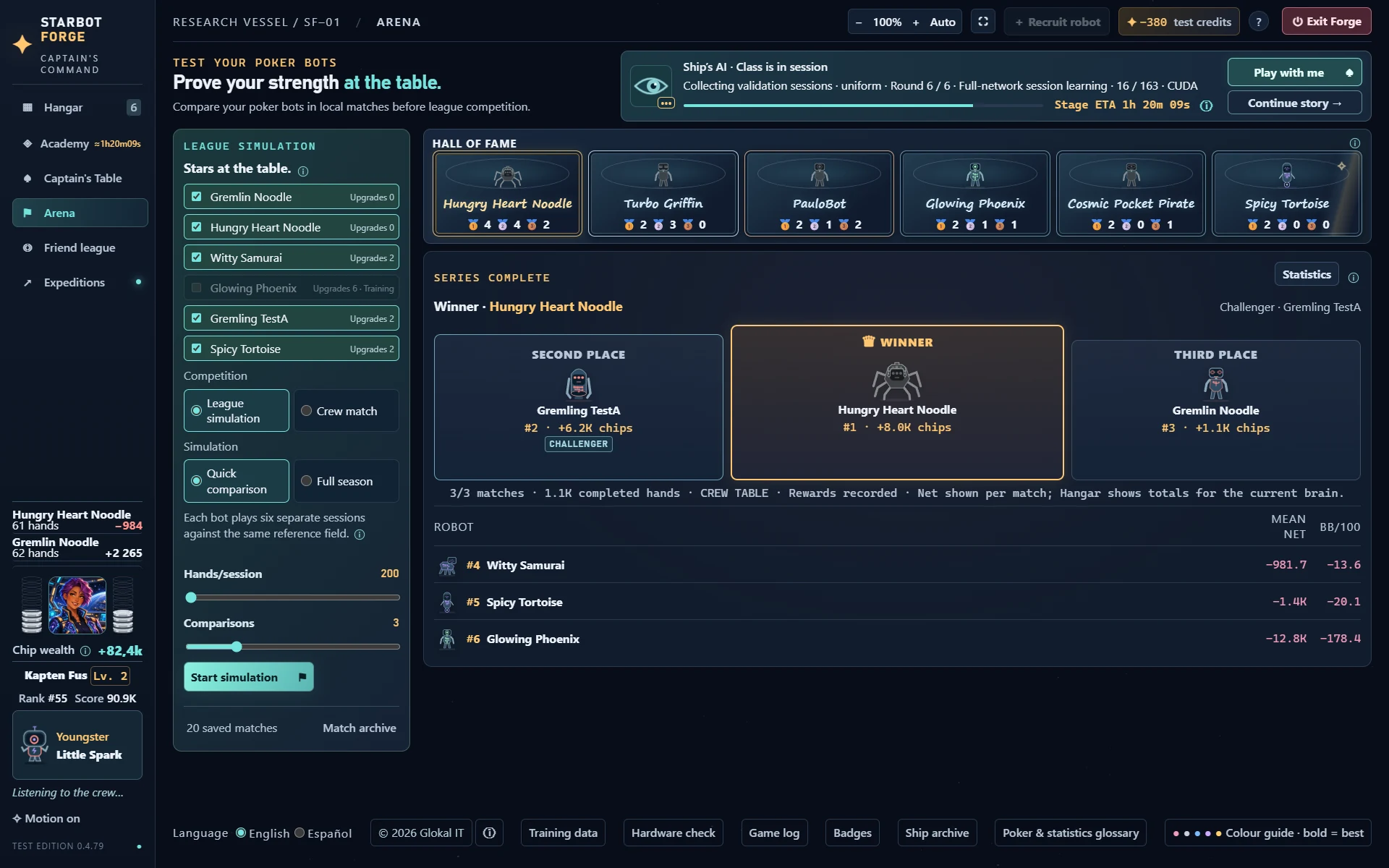
Compare bots by having them play against one another in local matches, or against a common field in league simulations. Inspect the results of saved bot versions.
Captain’s Table
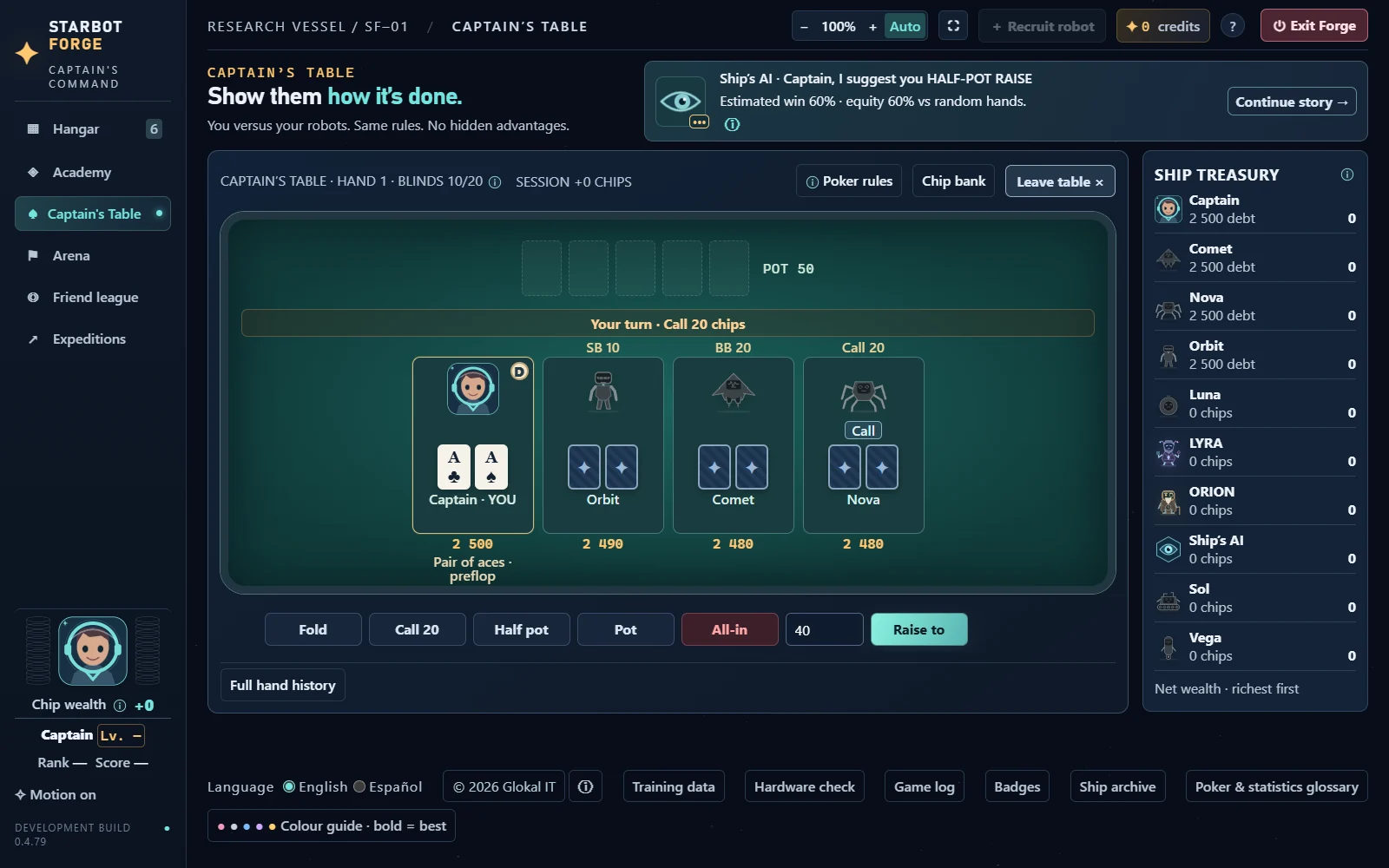
Play poker yourself against your bots and the game’s other opponents. Observe their decisions directly and try different situations.
Hand journals
Review recorded hands to see how a bot played: the available cards and betting actions, the result and recorded session context. The journal can show mistakes or decisions worth examining.
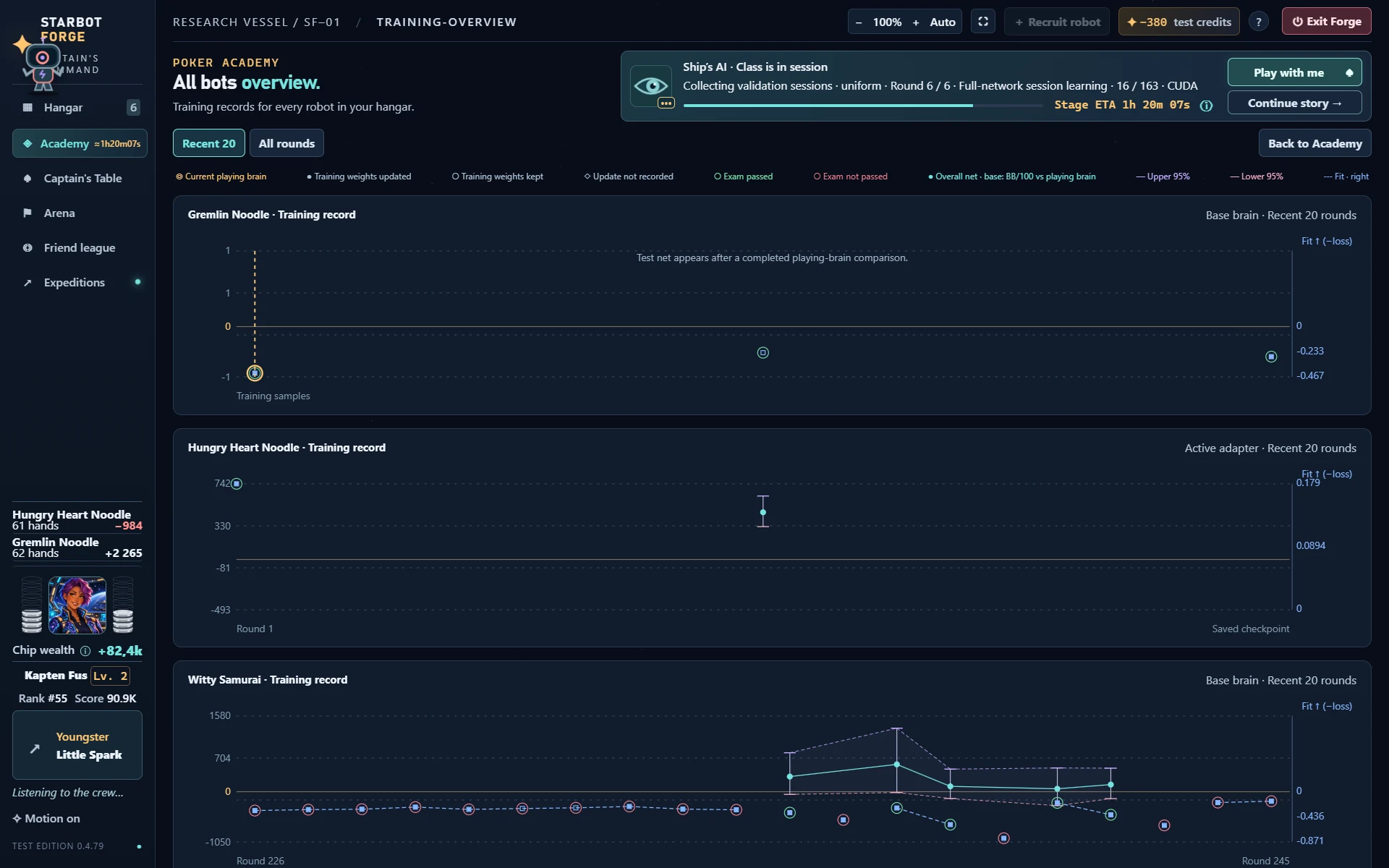
Training records
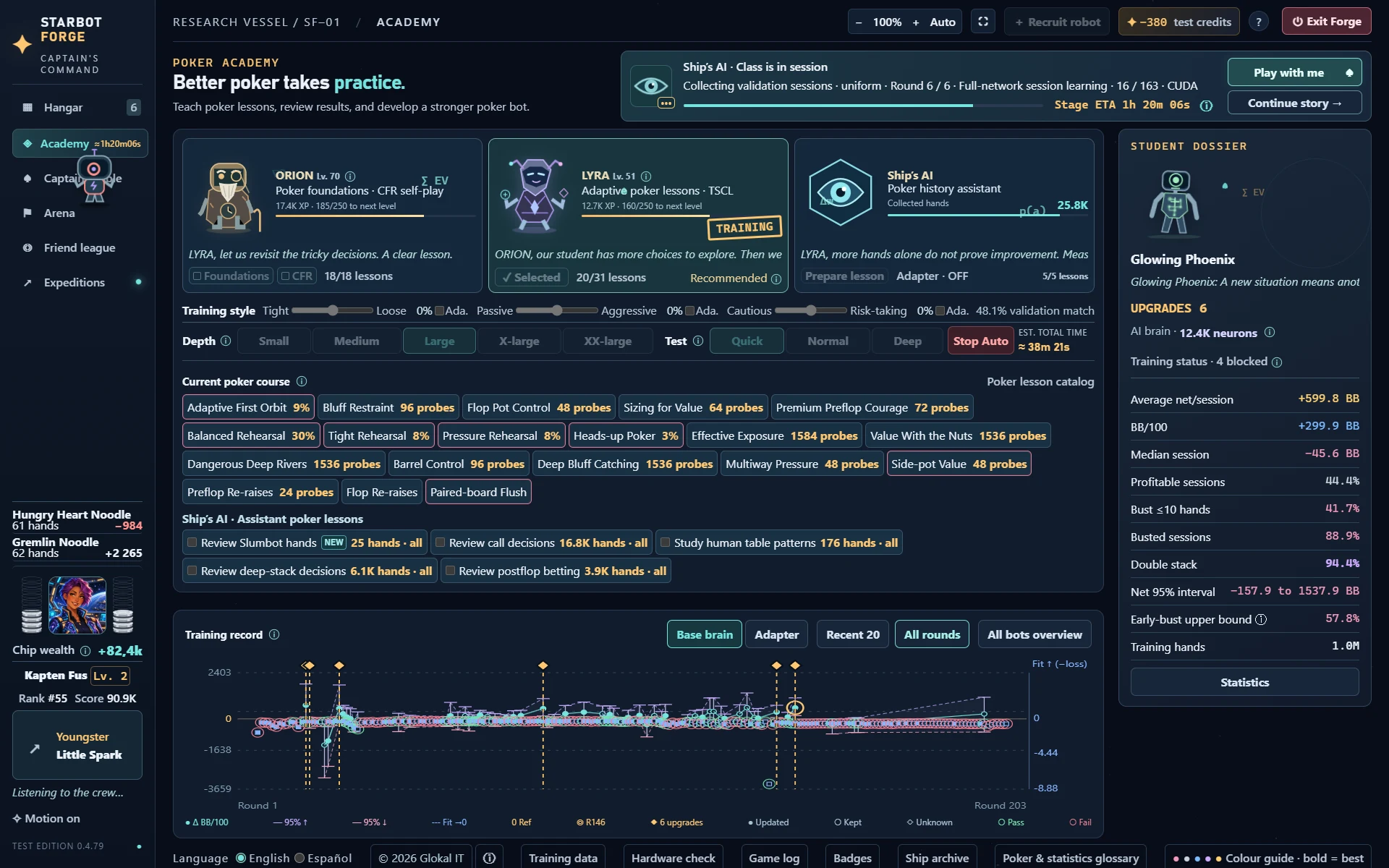
Follow training attempts and test results over time. See which attempts changed training weights and where the retained playing version was selected. The all-bots overview brings the records together.
Statistics
Inspect chip results, average and median session outcomes, hands played and uncertainty intervals. Separate views cover exams, Arena, Captain’s Table and expeditions.
Assistant lessons
Use available recorded-hand lessons for additional practice, such as reviewing calls or betting decisions. Selecting a lesson includes its eligible hands.
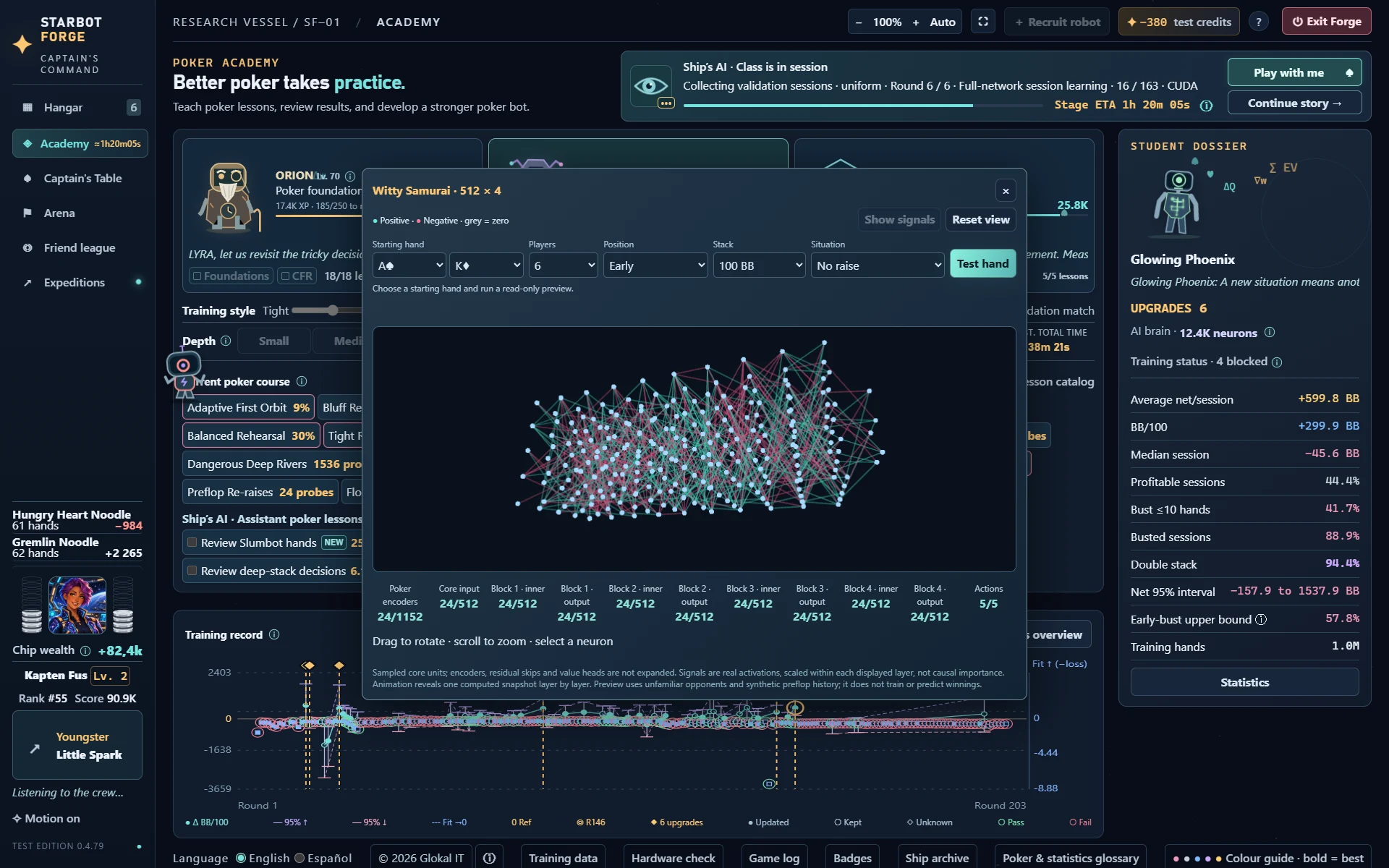
Brain viewer
Inspect a sampled visualisation of a bot’s saved network. Run read-only example inputs to examine computed signals without training the bot.
OpenPoker expeditions
Connect an eligible bot to OpenPoker with your own account and API key. Review its sessions and opponents. Access depends on the service and account; use only environments that permit bots.
Slumbot challenge
Test a bot against the external Slumbot opponent and review the recorded hands. This provides another comparison outside the local training exercises.
Bot customisation
Change bot names and appearance. These presentation choices are separate from the weights that determine poker decisions.
TRAINING EXPLAINED
Different ways to decide what the bot should practise.
ORION / FOUNDATIONS
Practise one concept at a time.
Foundation lessons give a bot structured practice. A lesson might focus on which starting hands to play, when to bet a strong hand or when continuing costs too much. This makes it easier to study a specific behaviour than by playing only unrestricted games.
Course progress shows which lessons have been practised. Exams check the resulting play separately. Completing a lesson is not the same as proving that the bot wins against every opponent.
LYRA / TSCL
Choose the next exercise from progress.
LYRA acts as a practice planner. It follows how the bot is developing and allocates practice among unlocked lessons. The bot learns from those exercises; LYRA decides where some of the practice should go.
This is Teacher–Student Curriculum Learning (TSCL): a teacher selects learning tasks for a student. If one subject needs attention, practice can shift towards it. TSCL is about choosing exercises, rather than replacing the bot’s network with a different kind of brain.
ORION / CFR
Compare what could have happened.
In self-play, simulated bots generate poker situations without needing a human opponent. CFR asks a further question: over repeated simulations, would choosing another available action have worked better?
Counterfactual Regret Minimization (CFR) uses those comparisons to adjust a strategy. “Regret” means a numerical measure of missed value from alternatives, not an emotion. It is not simply a rule to repeat winning actions: the comparison considers alternatives across simulated situations.
After foundations, ORION can use the game’s experimental Deep CFR path automatically. You do not need to configure the research algorithm to begin training.
TRAINING DEPTH
More practice before the next check.
Depth controls how much training work is requested. For ordinary lesson practice, the relevant amount is hands or examples. CFR explores simulated deals with alternative branches; those traversals are a different unit from normally played hands.
A deeper session takes longer and can provide more learning material before evaluation. It can also reinforce weaknesses. Compare the resulting bot with the retained version instead of treating training time as a score.
How do you tell whether a bot improved?
Practice changes the weights; evaluation measures the result. StarBotForge keeps a distinction between a training candidate and the retained playing version. A new candidate can be compared with that reference before becoming the version used for play.
Look at several measures together. Net chips means chips won minus chips lost. An average can be pulled up by a few large wins; the median session is the middle result when sessions are sorted. BB/100 expresses net chips per 100 hands in units of the big blind, a compulsory bet that sets the scale of the game.
An uncertainty interval indicates how precisely a result has been estimated. Short tests are noisy. A positive average, a positive median or a passed lesson alone does not establish that a bot will keep winning against other opponents.
More detail: how the training methods fit together
Fitting a neural network
The trainer calculates a numerical error, called a loss, between network outputs and training targets. An optimiser uses gradients—estimates of how each weight affects that error—to adjust many weights in small steps. Backpropagation calculates those gradients through the network. A lower training loss means closer agreement with the target; it does not by itself prove better poker.
Training examples update the model. Validation examples help assess or select candidates during development. Separate exams and playing-version comparisons provide additional evidence about play. Keeping these roles separate reduces the risk of mistaking familiarity with training examples for general improvement.
TSCL chooses the curriculum
The teacher observes learning progress and chooses among tasks. In StarBotForge, LYRA allocates practice within unlocked lessons; uniform-practice controls provide a comparison, and final exams are separate from the teacher’s signal. The original TSCL paper studied adaptive curricula, not a guarantee of poker performance. Matiisen et al., Teacher–Student Curriculum Learning ↗
Deep CFR approximates regrets and a strategy
A complete poker strategy must handle many possible situations. Deep CFR uses neural networks to approximate information gathered from sampled game trees: regrets about alternative actions and an average strategy over training. Sampling avoids explicitly storing every possible situation.
StarBotForge’s experimental implementation also uses validation and foundation rehearsal when assessing proposed changes. A traversal may branch into several alternative decisions, so traversal counts cannot be read as ordinary hand counts. Brown et al., Deep Counterfactual Regret Minimization ↗
Why this does not make a bot Pluribus
Pluribus combined a precomputed self-play strategy with search during play. StarBotForge uses its own implementation and evaluation conditions. Related research ideas do not establish equivalent strength. Deep CFR’s theoretical guarantees under two-player zero-sum assumptions do not automatically extend to this game’s full multiplayer setting.
ACTUAL GAME SCREENS
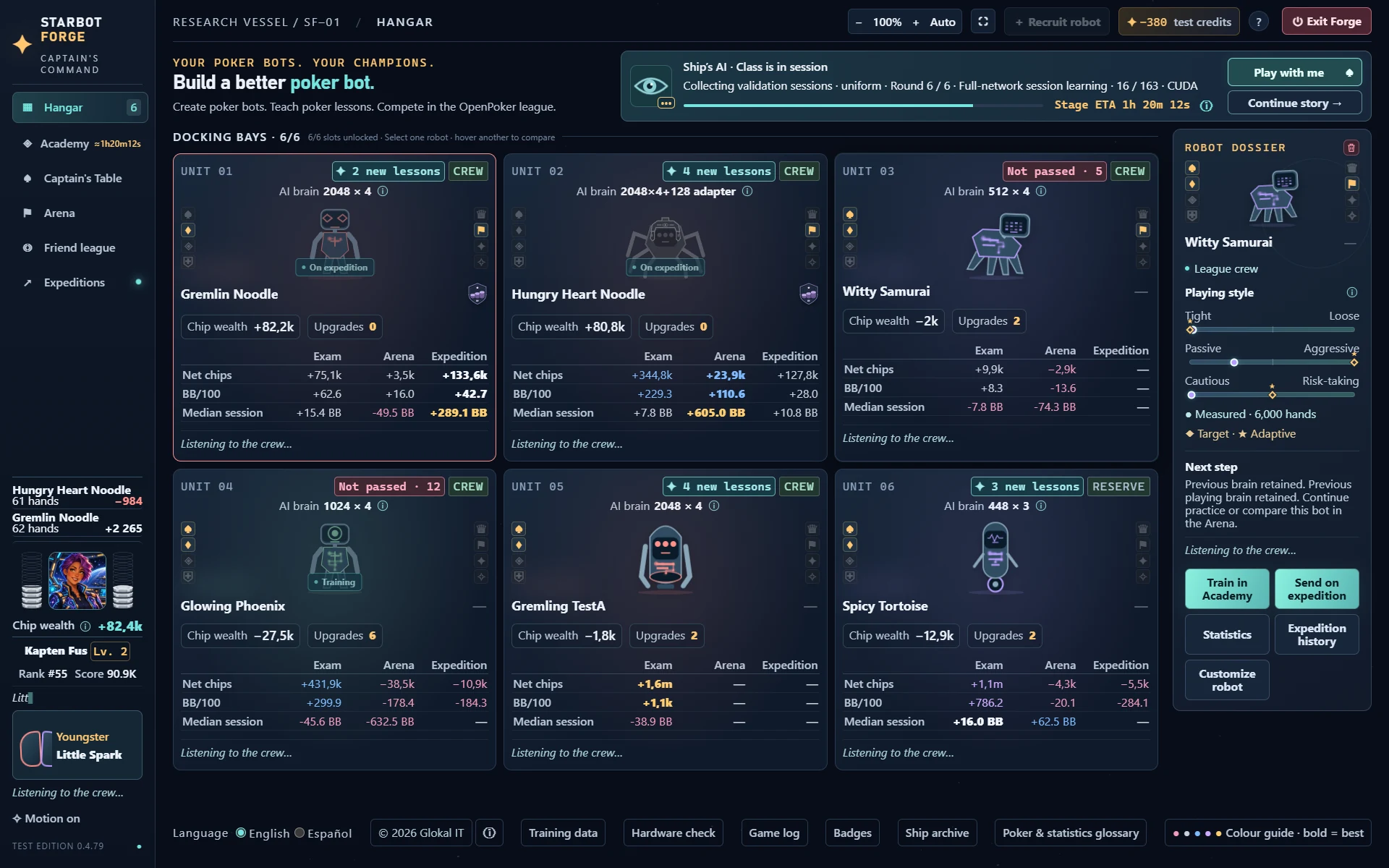
Screens from the game.
Open any screenshot to see the interface at full size.
Compare bots’ training attempts and results over recent or complete history.
Development build 0.4.79. Hangar, Academy, Arena, brain and training-record screens show the developer’s trained bots and their saved statistics. Captain’s Table uses fresh local example bots. Individual results are not strength benchmarks or predictions of winnings. Beta features are shown; some features require an in-game purchase.
PLATFORMS & AVAILABILITY
Choose the right build.
Public Windows beta
Free to play with limitations on Windows 10/11, 64-bit. Optional in-game purchases unlock more features and remain valid in future versions. Python is bundled.
Windows, Linux and Mac test builds are in the password-protected “for testers” area in the footer. Linux needs a compatible 64-bit system and Python; the Mac build targets Apple Silicon and macOS 14+. Linux and Mac download packages during first setup.
CPU training is supported. GPU fitting depends on the platform, compatible hardware, drivers and runtime: NVIDIA CUDA, experimental AMD paths, or Apple Metal/MPS where available. Installing a GPU package does not make an unsupported card compatible. Some simulation work still runs on the CPU.
A Steam release is planned. The release date and store page have not been announced.
FREE-TO-PLAY WINDOWS BETA
Come aboard. Help shape the adventure.
StarBotForge is a playable beta. There may still be undiscovered bugs, and we would love your help finding them. Please report anything that goes wrong.
Play for free with limitations. If you enjoy the game, you are warmly invited to unlock the full game through in-game purchases. The features you purchase will remain unlocked in future versions.
Email info@starbotforge.com with a little about your PC and your interest in poker or AI. No expert knowledge required.
A few things worth knowing.
Is this a real AI training game?
Yes. The bots use neural-network models. You choose a brain design and practise poker lessons, then examine saved test results. More practice does not automatically mean a stronger playing brain.
Can I play poker myself?
Yes. Captain’s Table lets you play against your bots and the ship’s characters. You can also use the Arena to compare bots without taking a seat yourself.
What is an expedition?
An eligible bot can connect to the OpenPoker platform using your own API key. Account capabilities determine access, including multi-bot play. Local training and Captain’s Table do not require an expedition.
How do I join the playtest?
Download the free Windows beta above and run the installer. To report a bug, use the Report a bug button. You can also email info@starbotforge.com with feedback or questions.